Serving a Frontend with FastAPI: A Practical Guide
A practical guide to FastAPI's new app.frontend(), SPA fallback, API route priority, and a complete mini dashboard example.

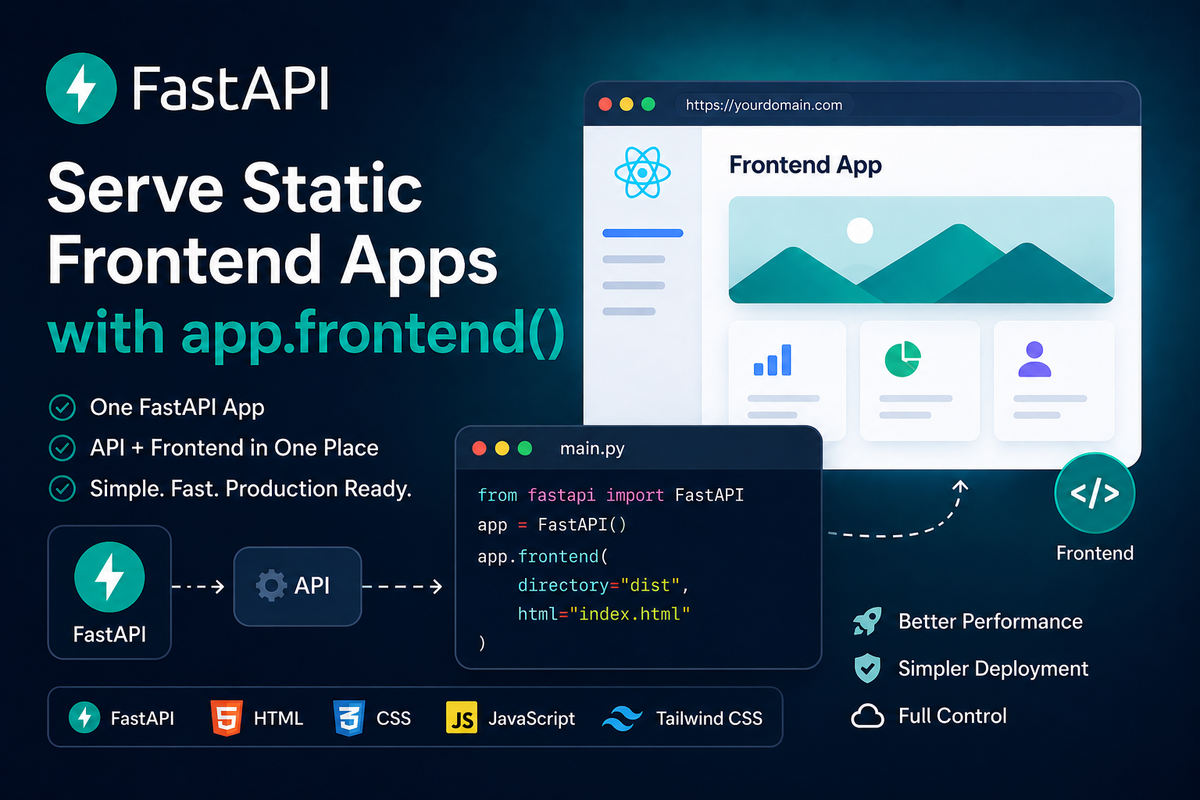
FastAPI is famous for building APIs.
But as a full-stack developer, the most convenient deployment for me is a single Python service that serves both:
- my JSON API, and
- my already-built frontend files.
Fortunately, since version 0.138.0, FastAPI supports this with app.frontend() and router.frontend(). According to the official FastAPI frontend documentation, this feature is designed for frontend tools that generate static build output, such as React with Vite, Vue, Angular, Svelte, Astro, Solid, TanStack Router, and others.
In short, app.frontend() lets FastAPI serve a static frontend build directory while keeping your normal API routes first. If /api/metrics is a FastAPI route, the API route wins. If /assets/app.js is a built frontend file, FastAPI can serve it from the frontend directory.
This is one of those features that removes a surprising amount of deployment glue.
In this article, we will dive into this new feature, build the idea from simple frontend serving to client-side routing, API route priority, deployment caveats, and a complete example.
What app.frontend() Actually Does
The basic usage is almost too simple:
from fastapi import FastAPI

app = FastAPI()

app.frontend("/", directory="dist")
That means:
- serve the frontend under
/; - read files from the local
distdirectory; - use FastAPI's frontend-serving conventions for browser routes and static assets.
The expected structure is similar to what modern frontend tools generate:
.
|-- app
|   |-- __init__.py
|   `-- main.py
`-- dist
    |-- index.html
    `-- assets
        `-- app.js
If the browser asks for /assets/app.js, FastAPI can return dist/assets/app.js.
The important detail is route priority.
FastAPI checks normal path operations first. The frontend is checked only if no normal route matched. This means your API will not be swallowed by your frontend router.
For example:
from fastapi import FastAPI

app = FastAPI()


@app.get("/api/health")
def health() -> dict[str, str]:
    return {"status": "ok"}


app.frontend("/", directory="dist")
Now /api/health returns JSON, while / returns the frontend.
This is exactly the behavior I want from a full-stack FastAPI app. The API remains the API. The frontend becomes the final fallback for browser pages.
When To Use app.frontend() Instead of StaticFiles
FastAPI already has StaticFiles.
For example:
from fastapi import FastAPI
from fastapi.staticfiles import StaticFiles

app = FastAPI()

app.mount("/static", StaticFiles(directory="static"), name="static")
This is still useful when you want to serve simple static assets from a specific path.
However, the FastAPI Static Files documentation says that if you need to host a frontend, use app.frontend() instead. It also explains that app.frontend() uses StaticFiles underneath, with extra advantages for frontends, such as handling client-side routing.
My practical rule is:
- Use
StaticFilesfor plain files like/static/logo.png. - Use
app.frontend()for a built frontend app like React, Vue, Svelte, Astro, or a vanilla JavaScript app.
That distinction saves confusion.
Serving a frontend also means handling browser navigation, missing assets, generated build directories, and route priority.
Build a Complete FastAPI Frontend Example
Let's build a tiny dashboard to feel the power of the new FastAPI.
It will have:
- a FastAPI backend;
- two API endpoints;
- a static frontend in
dist; - client-side routing;
- a dashboard page that fetches JSON from the API;
- a single
app.frontend()call that serves everything.
The project structure:
fastapi-frontend-demo/
|-- pyproject.toml
|-- app
|   |-- __init__.py
|   `-- main.py
`-- dist
    |-- index.html
    `-- assets
        |-- app.js
        `-- styles.css
First, the Python project file:
[project]
name = "fastapi-frontend-demo"
version = "0.1.0"
requires-python = ">=3.10"
dependencies = [
    "fastapi",
    "uvicorn[standard]",
]
Now the FastAPI app:
# app/main.py
from __future__ import annotations

from datetime import datetime, timezone
from pathlib import Path

from fastapi import FastAPI
from pydantic import BaseModel


BASE_DIR = Path(__file__).resolve().parent.parent
DIST_DIR = BASE_DIR / "dist"


class Metric(BaseModel):
    name: str
    value: float
    unit: str
    trend: str


app = FastAPI(title="FastAPI Frontend Demo")


@app.get("/api/health")
def health() -> dict[str, str]:
    return {
        "status": "ok",
        "time": datetime.now(timezone.utc).isoformat(),
    }


@app.get("/api/metrics", response_model=list[Metric])
def list_metrics() -> list[Metric]:
    return [
        Metric(name="Requests", value=12840, unit="today", trend="+12%"),
        Metric(name="Latency", value=42, unit="ms p50", trend="-8%"),
        Metric(name="Errors", value=3, unit="today", trend="-2"),
    ]


app.frontend("/", directory=DIST_DIR, fallback="index.html")
The last line is the key:
app.frontend("/", directory=DIST_DIR, fallback="index.html")This serves the frontend at the root path.
The fallback="index.html" part is useful for single-page apps. If the browser opens /dashboard directly, the server returns index.html, and then our frontend JavaScript decides what to render.
Now the HTML:
<!-- dist/index.html -->
<!doctype html>
<html lang="en">
  <head>
    <meta charset="utf-8" />
    <meta name="viewport" content="width=device-width, initial-scale=1" />
    <title>FastAPI Frontend Demo</title>
    <link rel="stylesheet" href="/assets/styles.css" />
  </head>
  <body>
    <header class="site-header">
      <a href="/" data-link class="brand">FastAPI Frontend</a>
      <nav>
        <a href="/" data-link>Home</a>
        <a href="/dashboard" data-link>Dashboard</a>
        <a href="/settings" data-link>Settings</a>
      </nav>
    </header>

    <main id="app" class="page"></main>

    <script type="module" src="/assets/app.js"></script>
  </body>
</html>
Now the JavaScript:
// dist/assets/app.js
const app = document.querySelector("#app");
const knownRoutes = new Set(["/", "/dashboard", "/settings"]);

async function getJson(url) {
  const response = await fetch(url);

  if (!response.ok) {
    throw new Error(`Request failed with status ${response.status}`);
  }

  return response.json();
}

function getCurrentRoute() {
  const path = window.location.pathname;
  return knownRoutes.has(path) ? path : "/";
}

function metricCard(metric) {
  return `
    <article class="metric-card">
      <div class="metric-name">${metric.name}</div>
      <div class="metric-value">${metric.value}</div>
      <div class="metric-footer">
        <span>${metric.unit}</span>
        <strong>${metric.trend}</strong>
      </div>
    </article>
  `;
}

function renderHome() {
  app.innerHTML = `
    <section class="hero">
      <p class="eyebrow">One FastAPI process</p>
      <h1>Serve your API and frontend from the same app.</h1>
      <p>
        This demo uses FastAPI for JSON endpoints and app.frontend()
        for the static browser app.
      </p>
      <a href="/dashboard" data-link class="button">Open dashboard</a>
    </section>
  `;
}

async function renderDashboard() {
  app.innerHTML = `<p class="loading">Loading metrics...</p>`;

  try {
    const [health, metrics] = await Promise.all([
      getJson("/api/health"),
      getJson("/api/metrics"),
    ]);

    app.innerHTML = `
      <section>
        <p class="eyebrow">Backend status: ${health.status}</p>
        <h1>Production dashboard</h1>
        <div class="grid">
          ${metrics.map(metricCard).join("")}
        </div>
        <p class="note">Last checked: ${health.time}</p>
      </section>
    `;
  } catch (error) {
    app.innerHTML = `
      <section>
        <h1>Something went wrong</h1>
        <p>${error.message}</p>
      </section>
    `;
  }
}

function renderSettings() {
  app.innerHTML = `
    <section>
      <p class="eyebrow">Client-side route</p>
      <h1>Settings</h1>
      <p>
        Open this page directly at /settings. FastAPI returns index.html,
        and the frontend router renders this view.
      </p>
    </section>
  `;
}

async function render() {
  const route = getCurrentRoute();

  if (route === "/dashboard") {
    await renderDashboard();
    return;
  }

  if (route === "/settings") {
    renderSettings();
    return;
  }

  renderHome();
}

document.addEventListener("click", (event) => {
  const link = event.target.closest("a[data-link]");

  if (!link) {
    return;
  }

  event.preventDefault();
  history.pushState({}, "", link.getAttribute("href"));
  render();
});

window.addEventListener("popstate", render);
render();
And the CSS:
/* dist/assets/styles.css */
:root {
  color: #17202a;
  background: #f6f7f9;
  font-family: Inter, ui-sans-serif, system-ui, -apple-system, BlinkMacSystemFont,
    "Segoe UI", sans-serif;
}

body {
  margin: 0;
}

.site-header {
  align-items: center;
  background: #ffffff;
  border-bottom: 1px solid #dde1e7;
  display: flex;
  justify-content: space-between;
  padding: 16px 24px;
}

.brand {
  color: #17202a;
  font-weight: 800;
  text-decoration: none;
}

nav {
  display: flex;
  gap: 16px;
}

nav a {
  color: #44515f;
  text-decoration: none;
}

.page {
  margin: 0 auto;
  max-width: 980px;
  padding: 48px 24px;
}

.hero {
  max-width: 680px;
}

.eyebrow {
  color: #0f766e;
  font-size: 14px;
  font-weight: 700;
  letter-spacing: 0;
  text-transform: uppercase;
}

h1 {
  font-size: 44px;
  line-height: 1.1;
  margin: 8px 0 16px;
}

p {
  color: #44515f;
  font-size: 18px;
  line-height: 1.6;
}

.button {
  background: #0f766e;
  border-radius: 6px;
  color: white;
  display: inline-block;
  font-weight: 700;
  margin-top: 12px;
  padding: 12px 16px;
  text-decoration: none;
}

.grid {
  display: grid;
  gap: 16px;
  grid-template-columns: repeat(auto-fit, minmax(220px, 1fr));
  margin-top: 24px;
}

.metric-card {
  background: white;
  border: 1px solid #dde1e7;
  border-radius: 8px;
  padding: 20px;
}

.metric-name {
  color: #667085;
  font-size: 14px;
  font-weight: 700;
  text-transform: uppercase;
}

.metric-value {
  font-size: 40px;
  font-weight: 800;
  margin-top: 12px;
}

.metric-footer {
  align-items: center;
  color: #44515f;
  display: flex;
  justify-content: space-between;
  margin-top: 18px;
}

.metric-footer strong {
  color: #0f766e;
}

.loading,
.note {
  color: #667085;
}
Run it:
python -m venv .venv
source .venv/bin/activate
python -m pip install --upgrade fastapi uvicorn[standard]
uvicorn app.main:app --reload
Then try these URLs:
http://127.0.0.1:8000/
http://127.0.0.1:8000/dashboard
http://127.0.0.1:8000/settings
http://127.0.0.1:8000/api/health
http://127.0.0.1:8000/api/metrics
This is a full working mental model:
/servesdist/index.html;/dashboardservesindex.html, then JavaScript renders the dashboard;/settingsservesindex.html, then JavaScript renders settings;/api/healthand/api/metricsare handled by FastAPI path operations;/assets/styles.cssand/assets/app.jsare served fromdist/assets.
Simple and neat.
Handle Client-Side Routing Correctly
Single-page apps often have routes that do not exist as real files.
For example:
/dashboard
/settings
/users/yang
In a React, Vue, Svelte, or vanilla JavaScript SPA, those paths may be handled in the browser.
The backend still has one job:
For browser navigation paths, return index.html so the frontend app can render the route.FastAPI supports this with fallback="index.html":
app.frontend("/", directory=DIST_DIR, fallback="index.html")The official docs also describe fallback="auto", which is the default. In most cases, you can write:
app.frontend("/", directory=DIST_DIR)With automatic fallback, FastAPI looks for common frontend files and chooses a reasonable behavior. If a 404.html exists, it can be used for missing frontend paths with a 404 status code. Otherwise, if index.html exists, browser navigation paths can fall back to index.html.
My recommendation:
- For a typical SPA, use
fallback="index.html"when you want the behavior to be explicit. - For static site generators like Astro that produce a
404.html, consider the automatic behavior. - For file serving with no frontend fallback, use
fallback=None.
For example:
app.frontend("/", directory=DIST_DIR, fallback=None)Then missing frontend paths return a normal 404.
The subtle advantage is that missing assets like JavaScript, CSS, and images should still behave like missing assets. You do not want /assets/typo.js to return your HTML app and create a confusing browser error.
Let API Routes Win
This is the design detail that makes app.frontend() pleasant.
FastAPI path operations are checked first.
So this works:
from fastapi import FastAPI

app = FastAPI()


@app.get("/users/{name}")
def read_user(name: str) -> dict[str, str]:
    return {"name": name}


app.frontend("/", directory="dist", fallback="index.html")
If the browser requests /users/yang, FastAPI will match the API route and return JSON.
If the browser requests /dashboard, and there is no FastAPI path operation for /dashboard, the frontend fallback can return index.html.
This is a clean separation:
- API routes are explicit backend behavior.
- Frontend routes are browser behavior.
- Built assets are static files.
In real projects, I still prefer putting API routes under /api.
For example:
/api/users/yang
/api/metrics
/api/health
This convention keeps the system easy to reason about. It also makes reverse proxies, logs, and monitoring easier.
The fact that FastAPI protects path operations first is excellent. A clear URL convention is still worth it.
Serve a Frontend Under a Prefix with APIRouter
Sometimes the frontend should not live at /.
Maybe you want:
/api
/admin
/docs
FastAPI supports router.frontend() too:
from fastapi import APIRouter, FastAPI

app = FastAPI()
admin_router = APIRouter()

admin_router.frontend("/", directory="dist", fallback="index.html")
app.include_router(admin_router, prefix="/admin")
Now the frontend is served under /admin.
This is useful for internal tools, admin panels, customer dashboards, and embedded apps.
The frontend build still has to know its base path. For example, if your JavaScript app assumes assets live under /assets/app.js, but the app is deployed under /admin, you may need to configure the frontend build tool to generate URLs under /admin/assets/app.js.
This is a frontend build configuration problem.
It is also the kind of problem that steals 40 minutes and makes you question your career choices.
So check it early.
Know When To Avoid Serving the Frontend from FastAPI
app.frontend() is useful, but it has clear boundaries.
The official FastAPI docs are clear that this serves static build output only. It does not run server-side rendering for every request.
Use it when:
- your frontend build produces static files;
- you want a simple single-service deployment;
- your app is an internal dashboard, admin UI, prototype, or small product;
- you want API and frontend routes in one FastAPI process.
Be careful when:
- your frontend needs server-side rendering on every request;
- your assets are large and should live behind a CDN;
- your frontend and backend deploy on different schedules;
- you need advanced edge caching rules;
- your organization already has a standard frontend hosting pipeline.
For local frontend development, I would still use the frontend dev server.
For example, with Vite:
npm run devDuring production build, generate static files:
npm run buildThen let FastAPI serve the generated dist directory:
app.frontend("/", directory="dist", fallback="index.html")This gives you a comfortable split:
- use the frontend dev server while developing UI quickly;
- use FastAPI frontend serving when deploying the built app.
Key Takeaways
FastAPI can serve static frontend builds with app.frontend() and router.frontend().
This feature is designed for frontend frameworks that generate static output, such as Vite-based React apps, Vue, Svelte, Angular, Solid, Astro, TanStack Router, and similar tools.
The most important behavior is route priority: normal FastAPI path operations are checked before frontend files.
For SPAs, use fallback="index.html" when you want direct browser navigation like /dashboard to load the frontend app.
For static site generators that produce a 404.html, the default fallback="auto" behavior can be convenient.
Use StaticFiles for plain static assets. Use app.frontend() for built frontend apps.
The best thing is that the deployment story becomes boring:
app.frontend("/", directory="dist", fallback="index.html")One line serves the browser app.
Your API can keep doing API things.
That is the kind of simple deployment line I like.